
Companies
A company is an organization. The company page collects its contacts, deals, projects and invoices.
Adding a company
Press New company. The form opens in a slide-over.
| Field | Notes |
|---|---|
| Name | Required |
| Domain | A pasted URL is reduced to the bare domain and displayed as a link |
| Address | Appears on invoices billed to this company |
The companies list
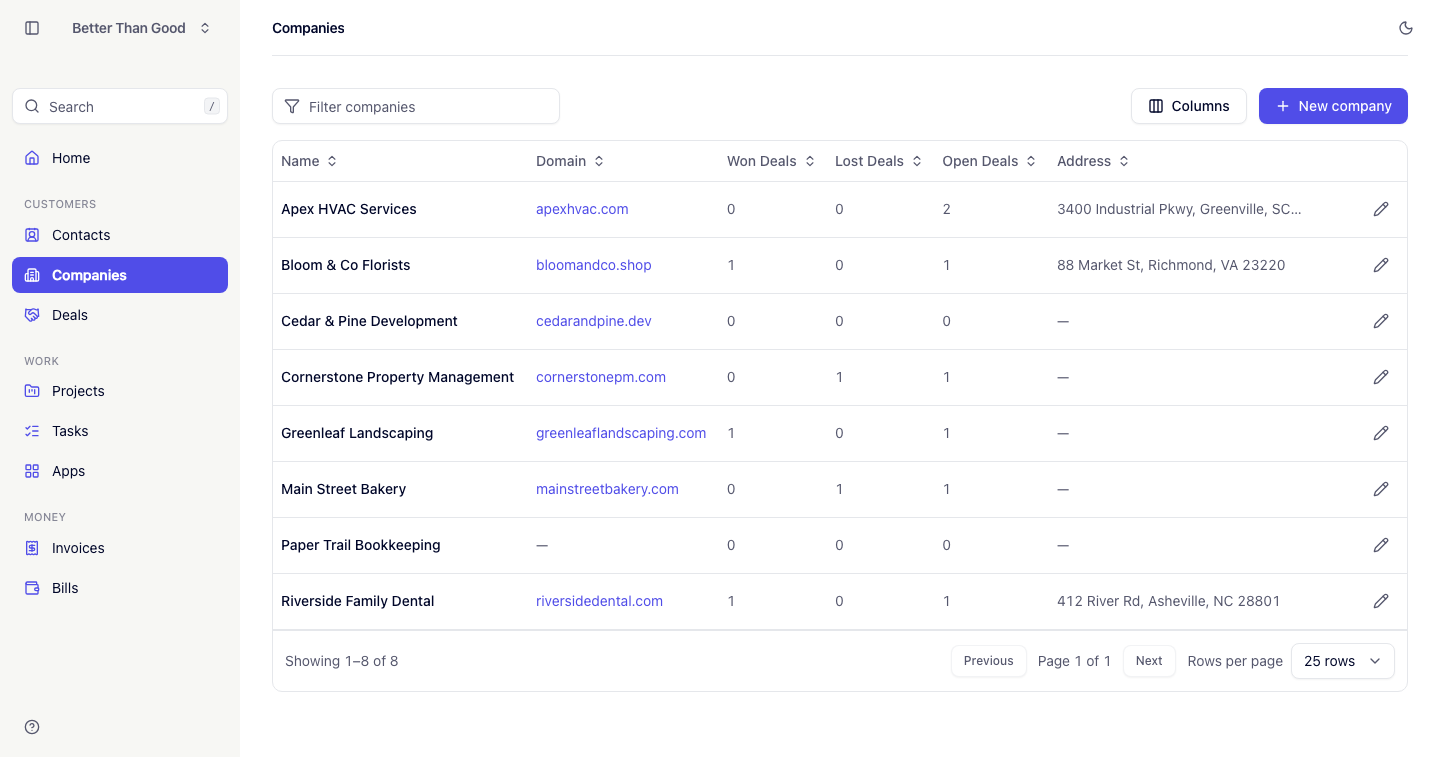
The list behaves as Contacts does: a filter, sortable columns, a per-user column picker and 25 rows per page.
The filter matches name and domain. Sortable columns are Name (default), Domain, Contacts (a count of people at the company) and Address.
The company page
The left column holds the following cards.
Company details
Domain as a link and the address when set. Edit is in the footer.
Contacts
People at the company, with avatar, name and title. Add contact in the footer opens the contact form with this company selected. The new contact appears in the card without a page reload.
Deals
A stats row and a list. The stats are:
- Won: total value of won deals
- Deals won: count
- Open: total value of deals still open
Below, recent deals with stage badge, expected close date and amount. View pipeline links to Deals.
Invoices
Stats for Billed and Outstanding. Overdue appears only when the amount is above zero. Below, recent invoices with status badges and due dates. View invoices links to Invoices.
Projects
Up to five projects, active first, each with due date, open task count and status badge. View projects links to Projects.
The right column holds the Notes timeline — a list of entries newest first, written in Markdown, each showing its author and a relative timestamp.
Deleting a company
- Contacts and deals are kept, and no longer reference a company.
- Invoices for the company are deleted.
To keep invoice records, export them first (see Exporting data).